
Most budgeting apps are retrospective ledgers that tell you where the money went. ClearBudget is forward-looking: it projects solvency for the months ahead and warns about mid-month overdrafts before they happen.
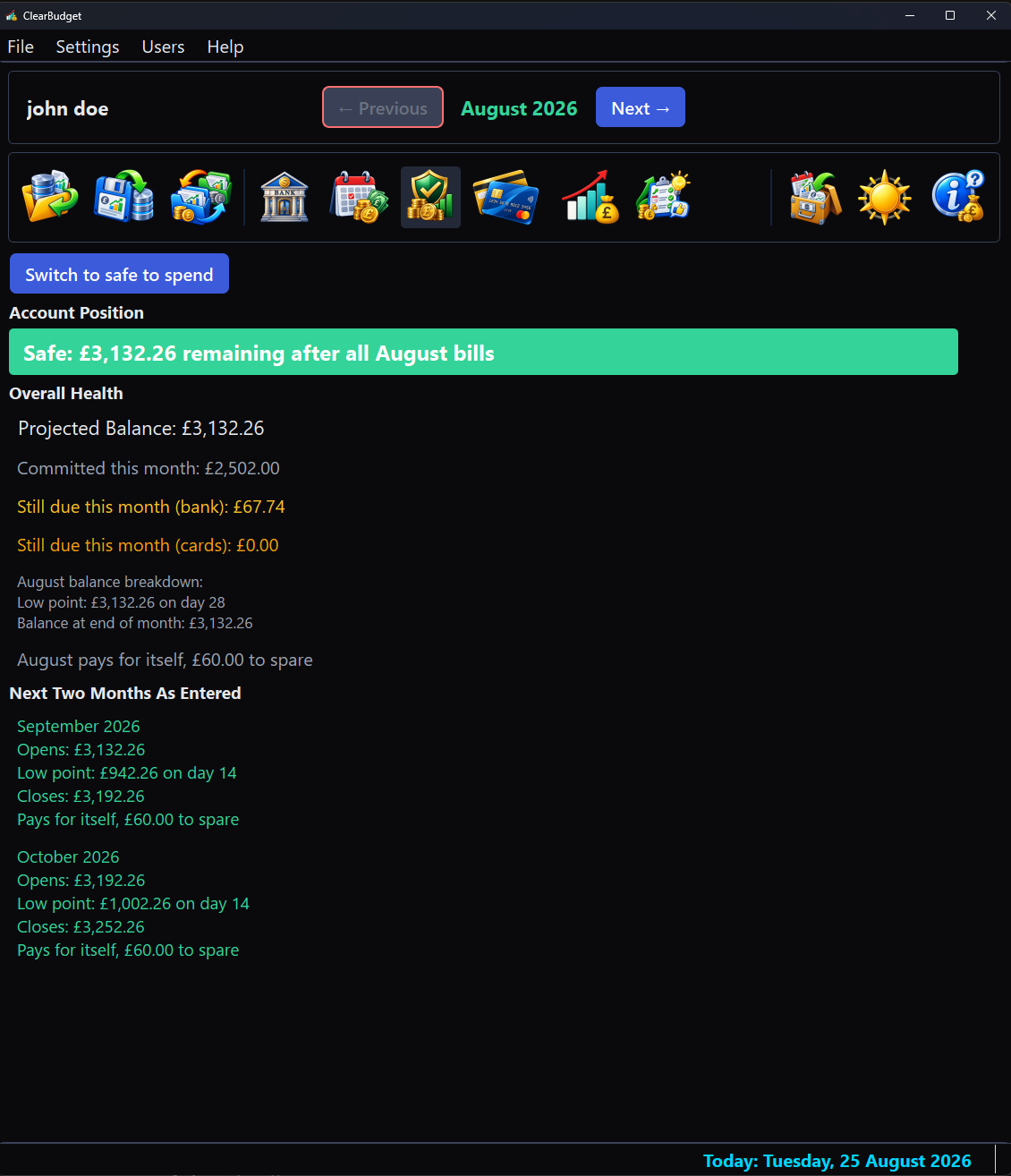
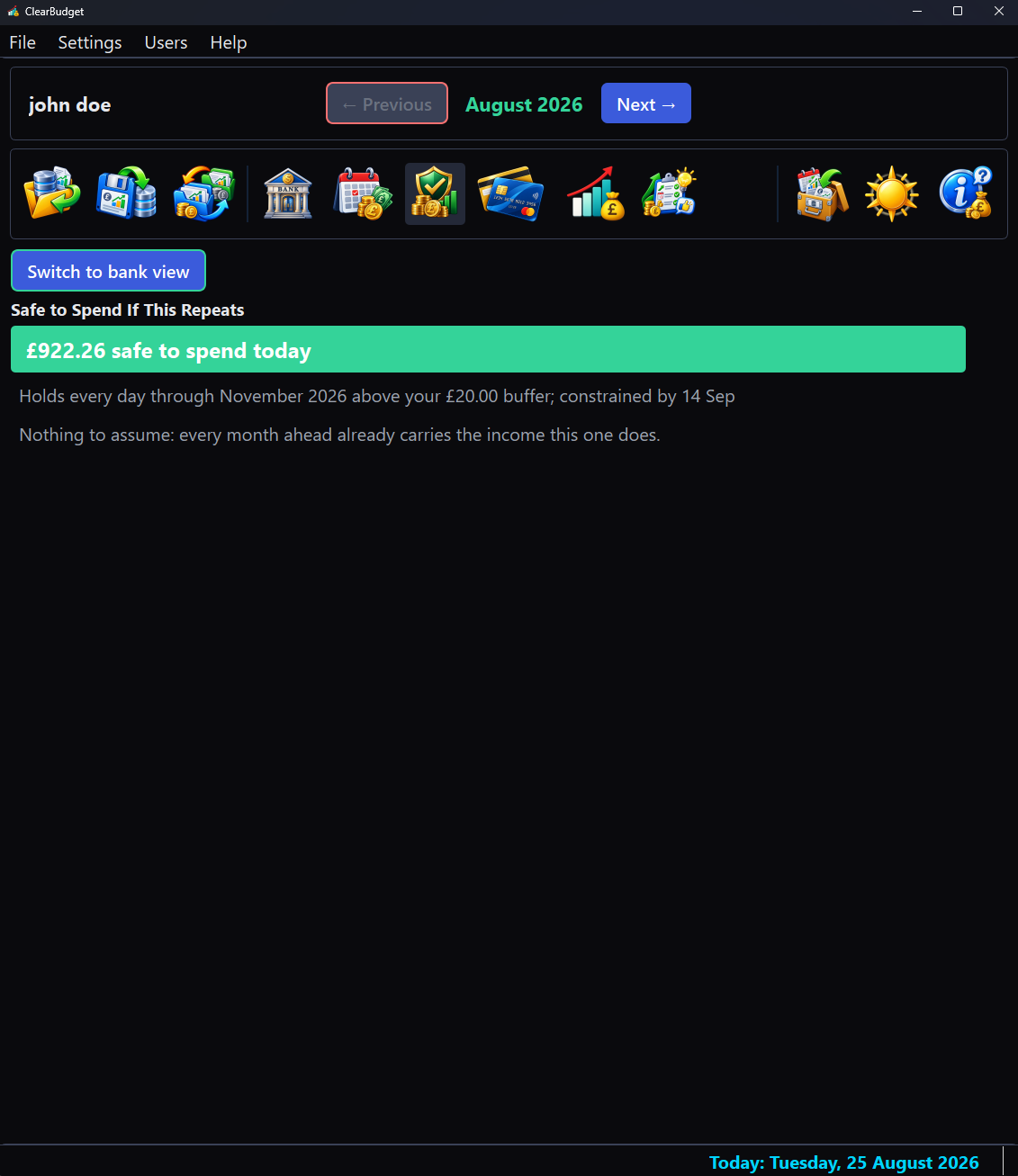
Safe to Spend Today
One number you can act on: the most you could spend today without knocking over any month ahead that stands on its own.
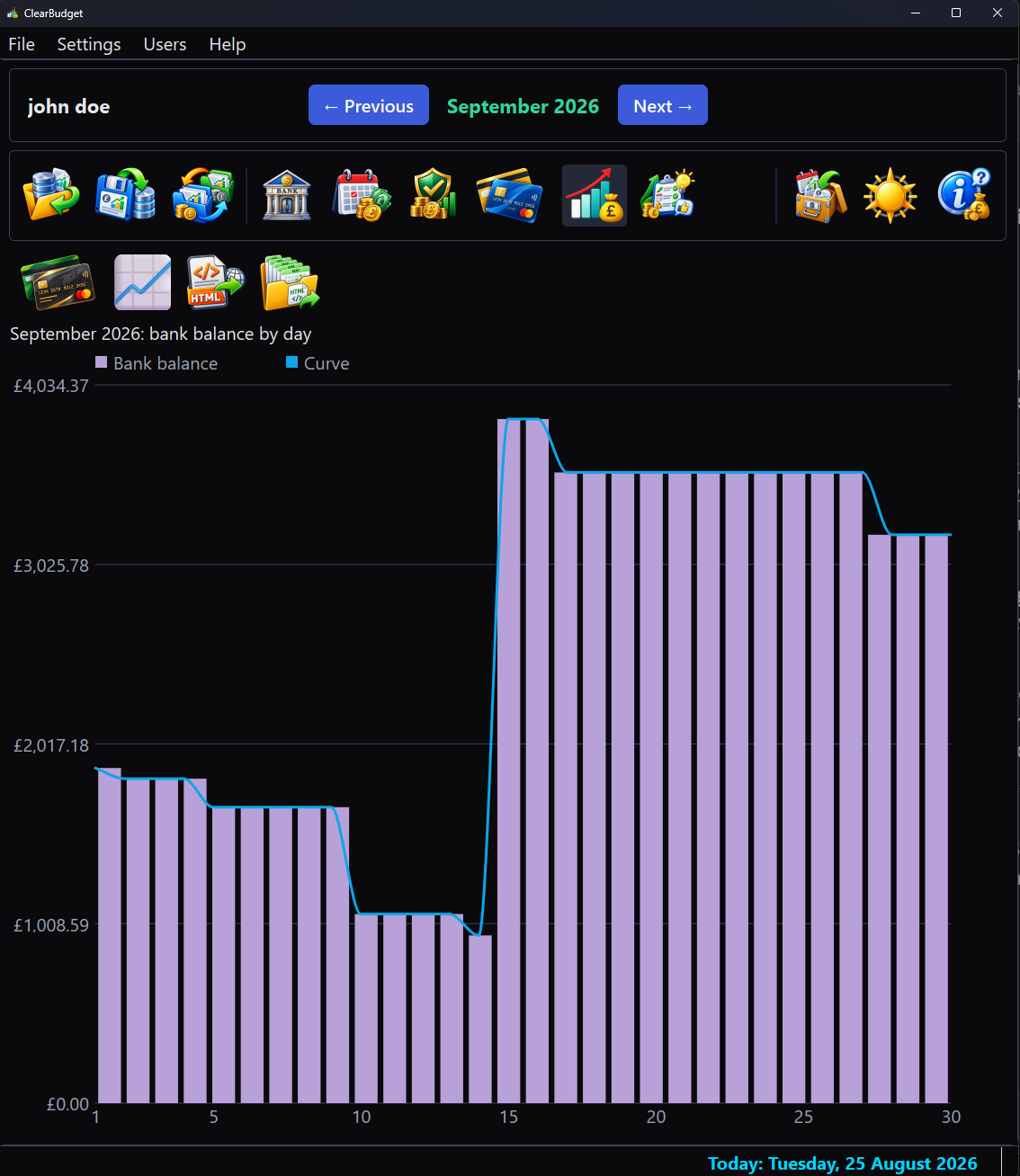
See the month coming
Every day as a bar, judged against the overdraft you actually have: red means a payment would bounce. Money being set aside is drawn as a floor, so a day in credit that is spoken for stops reading as free.
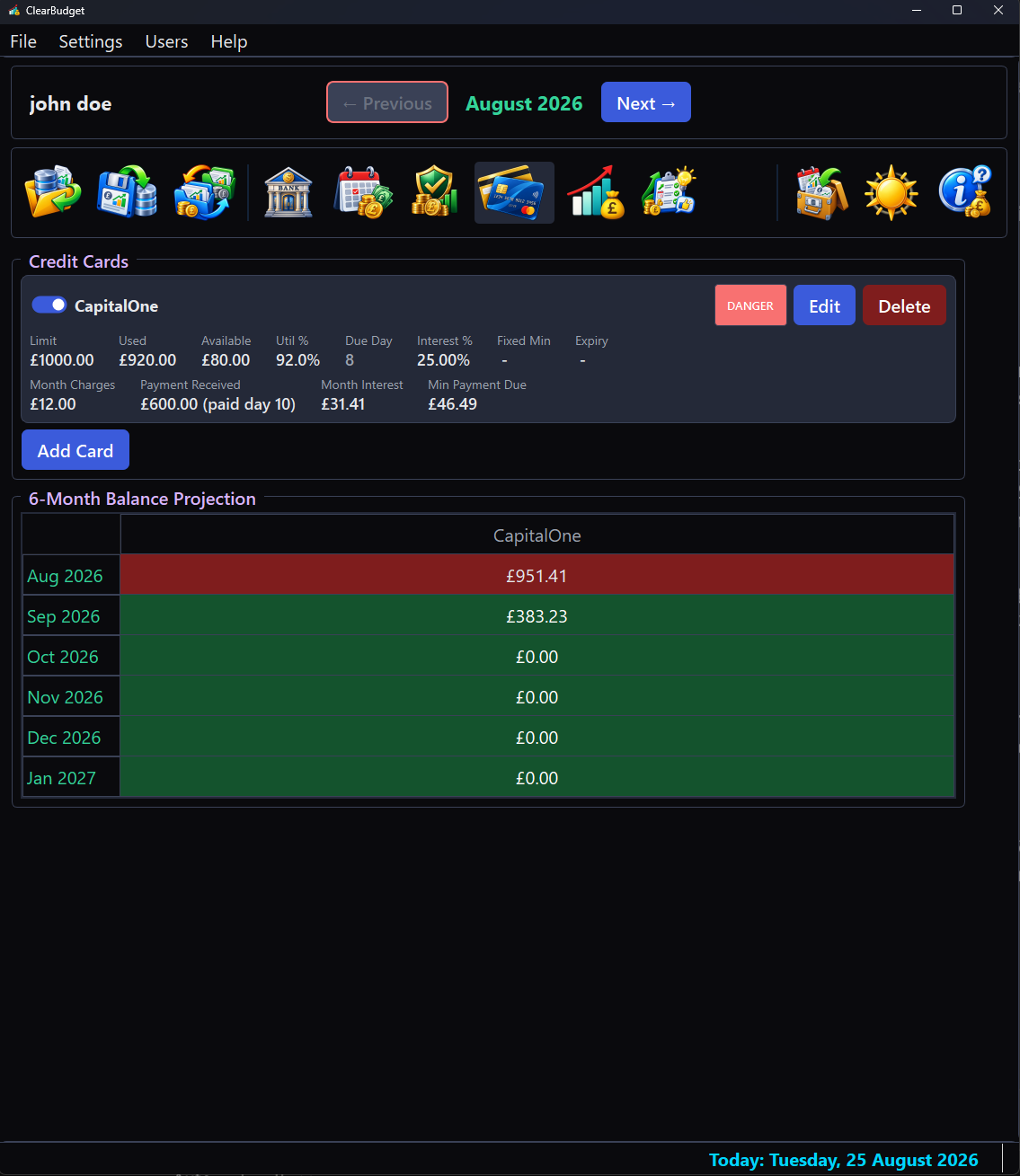
Cards, priced forward
Utilisation, interest and a six-month projection per card, coloured by the headroom left.
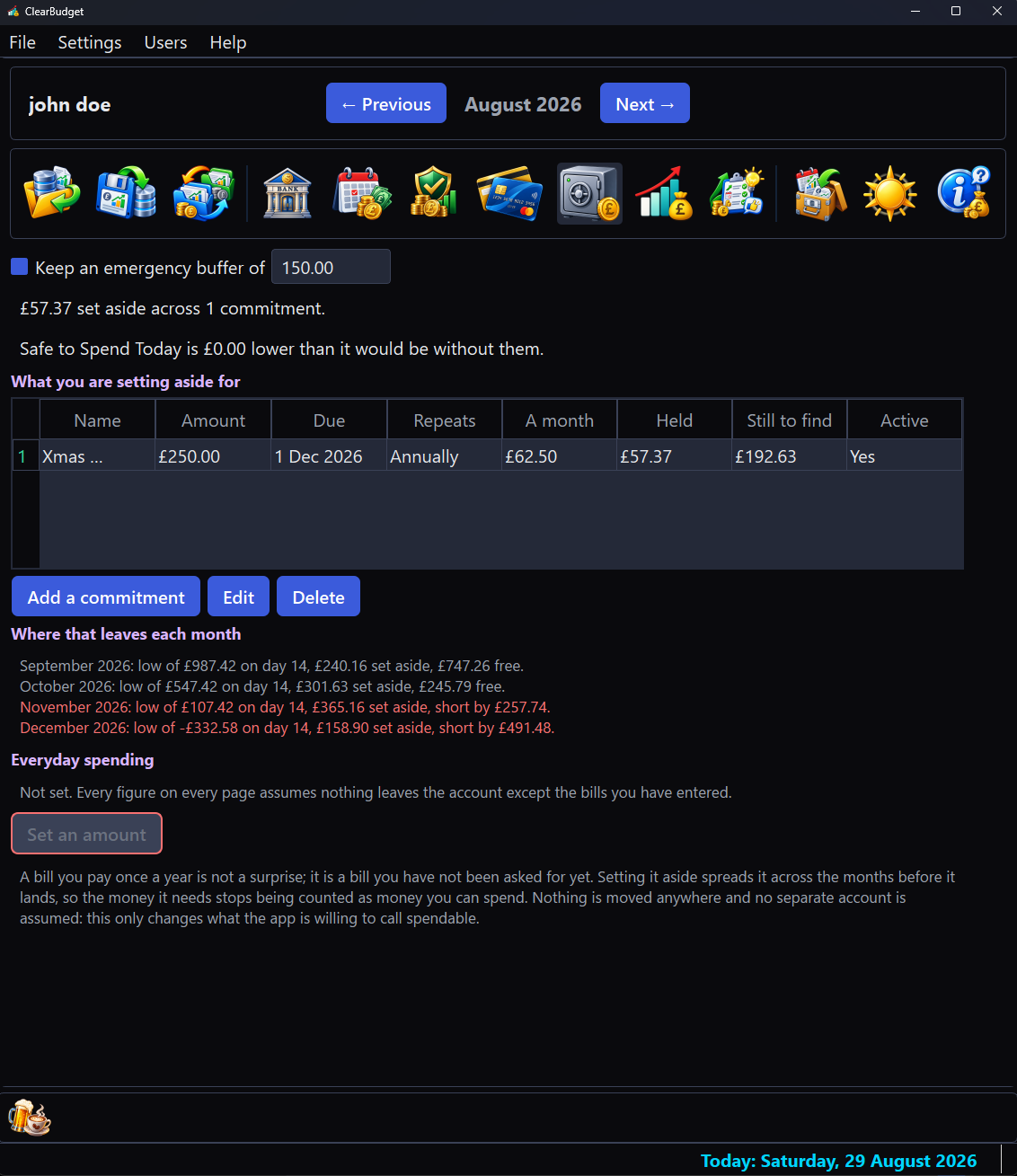
Money already spoken for
An annual bill is not a surprise, it is a bill that has not asked yet. Set it aside a little each month and Safe to Spend stops offering money that is committed.
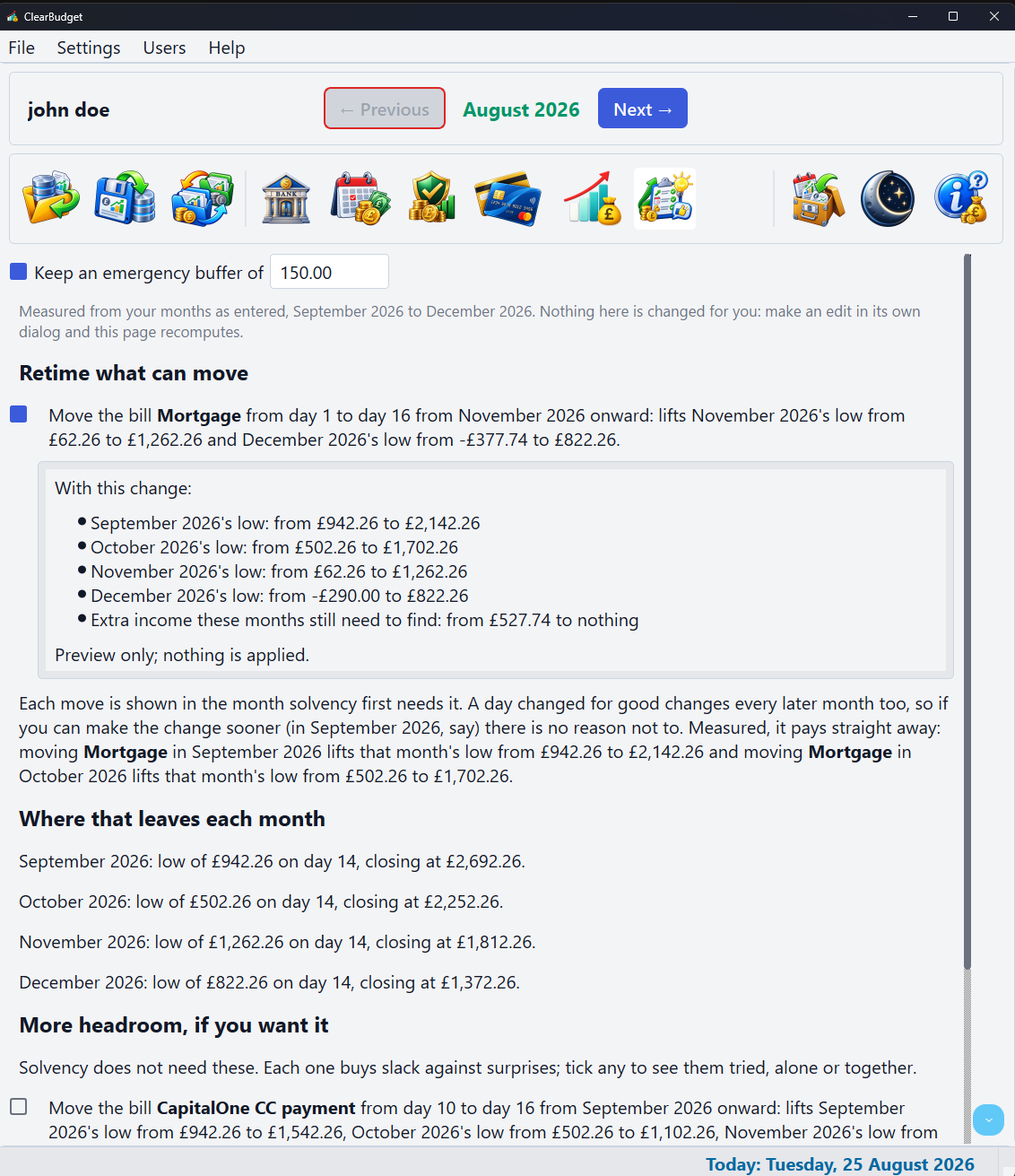
What would fix it
Measured suggestions: retime what can move, then what each month still needs to find. Tick one to preview its effect; nothing is ever applied for you.
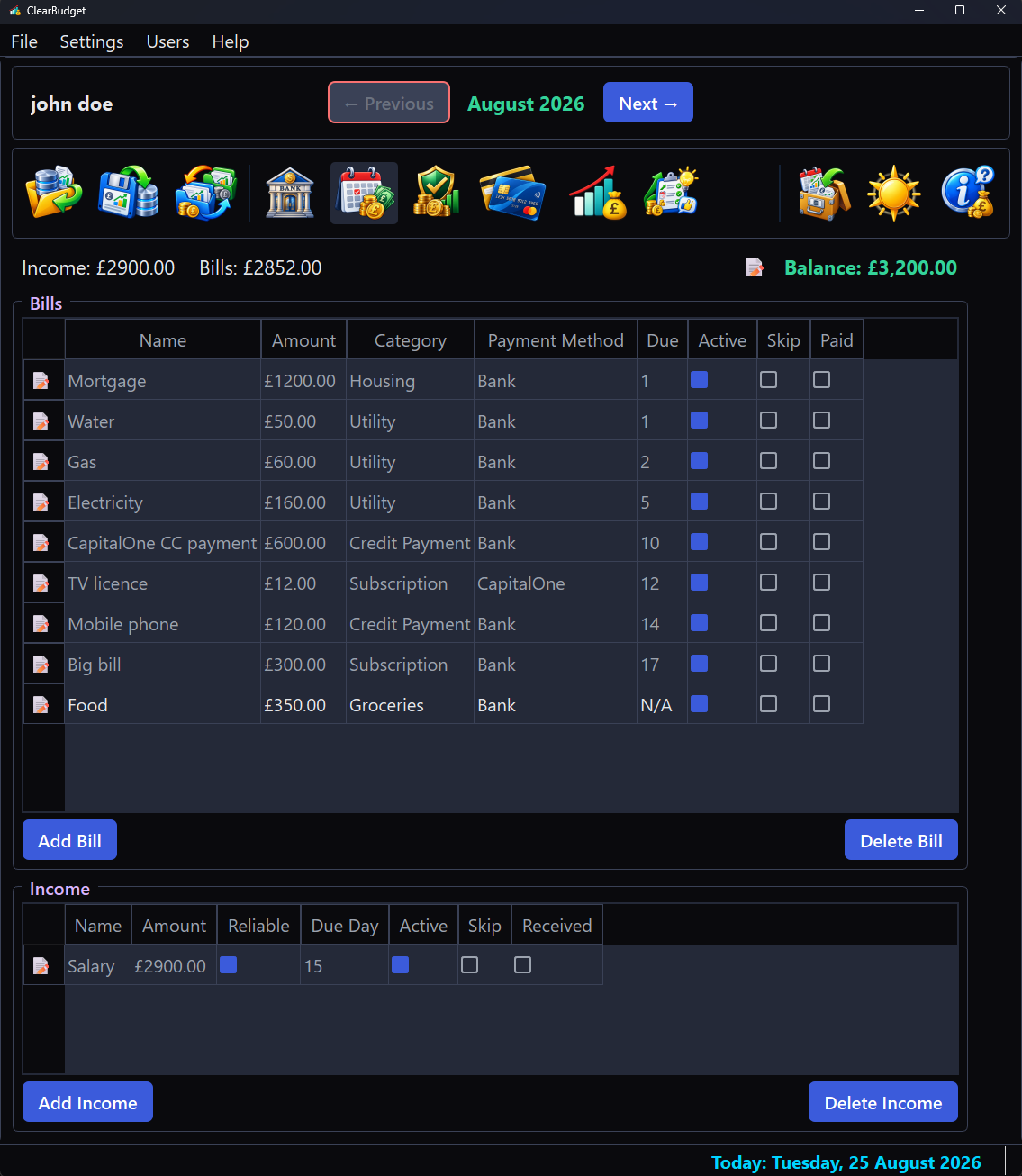
Private and offline
Your months live on your machine, behind a sign-in, with no cloud and no account servers.
What it does not do
Worth knowing before you download. ClearBudget answers one question and leaves the rest alone.
It is not an accounting package
No ledger, no reconciliation against a statement feed, no chart of accounts and no double entry. It says whether the month holds, not where last month's money went.
It never connects to a bank
No bank, no aggregator and no open-banking feed. You enter the balance once and the app maintains it from then on. That is the price of the finances never leaving your machine.
It models a current account
Income, bills and credit cards. Not investments, not assets, not loan amortisation and not net worth.
One machine, not several
There is no cloud, no sync and no multi-device story. Several people can share one computer, each with their own sign-in and their own budgets; the budgets stay on that computer.
The files are not encrypted
The sign-in is an access-control gate for the application rather than protection of the files themselves. Anyone who can read the disk can read the database, so pair it with your operating system's disk encryption if that matters to you.
It never spends your money for you
Every suggestion is a reference figure you act on yourself, in the app or in real life. Nothing is applied, moved or paid on your behalf.
Dig deeper
Everything it does
The full feature list: budgets, backups, bill timing, exports, keyboard, currencies.
Screenshots
Every page of the app, walked through on a sample budget.
Why this exists
The reasoning behind the solvency model and the architecture that keeps it honest.
Download
Native packages for Windows, macOS and Linux, plus the FAQ.
Supporting ClearBudget
ClearBudget is free and stays free. There is no paid tier, no licence key and no feature held back behind a donation. If it has replaced something you were paying for or simply saved you an afternoon, a contribution supports its maintenance and continued development. The same link sits at the foot of the app's own window.
 Donate